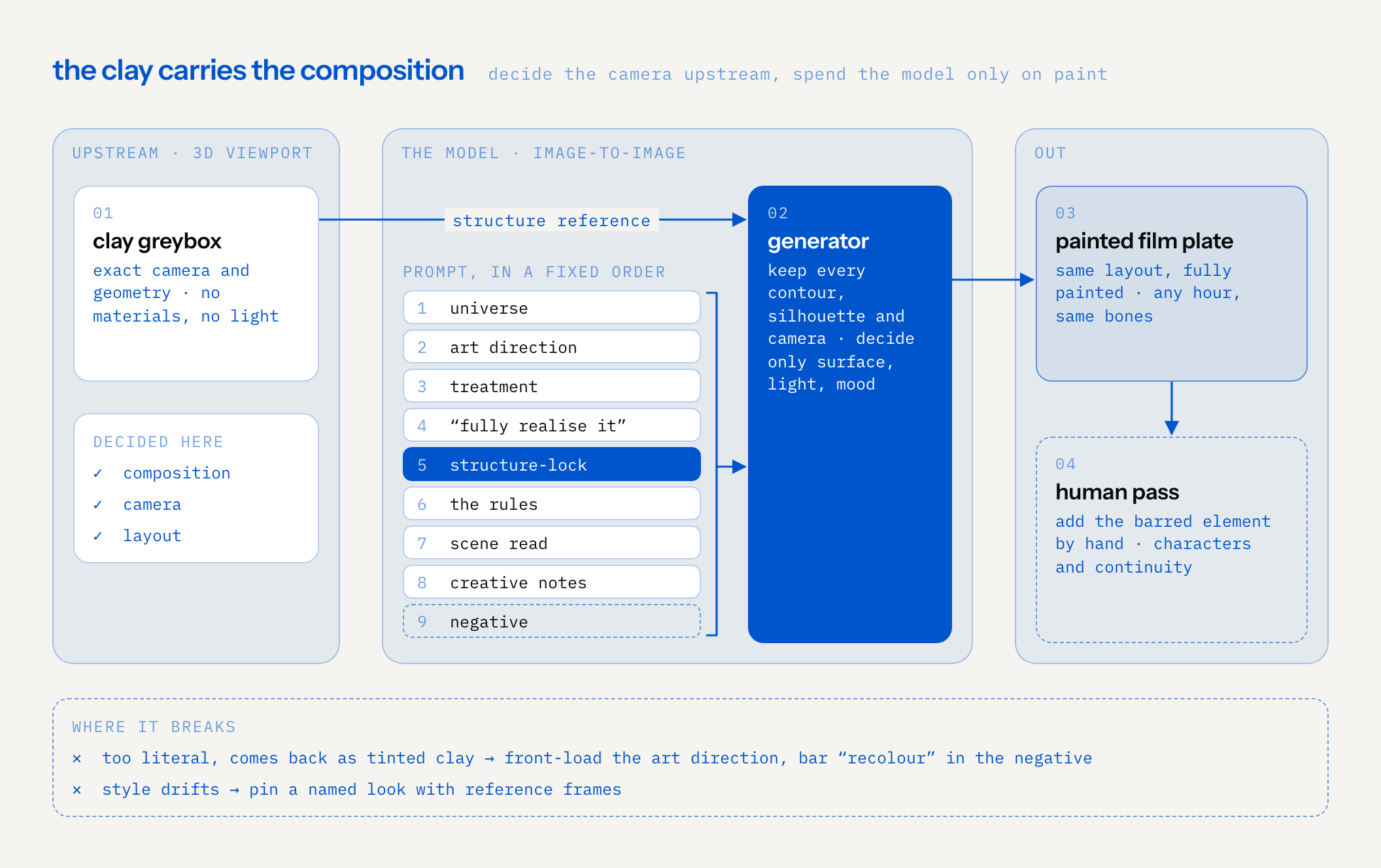
We built a translator that turns grey blocking — clay/matcap greybox renders straight out of a 3D program, exact camera and geometry, zero materials or light — into finished, painted film plates, via image-to-image generation.
the trick
The trick is what role the greybox plays. It is not a vibe. It's a hard constraint. The generator is told, in plain language: this is the final geometry, camera and layout. The pastel matcap colours are material ids, not final colours. Keep every contour, silhouette and camera position exactly. Only dress the shapes in the style. The clay carries the composition; the model only gets to decide paint.
The pipeline: export the clay → feed it as the structure reference → stack the prompt in a fixed order (universe → art-direction → treatment → "fully realise it" → structure-lock → the rules → scene read → creative notes → negative) → get back a plate that matches the layout exactly but is fully painted.
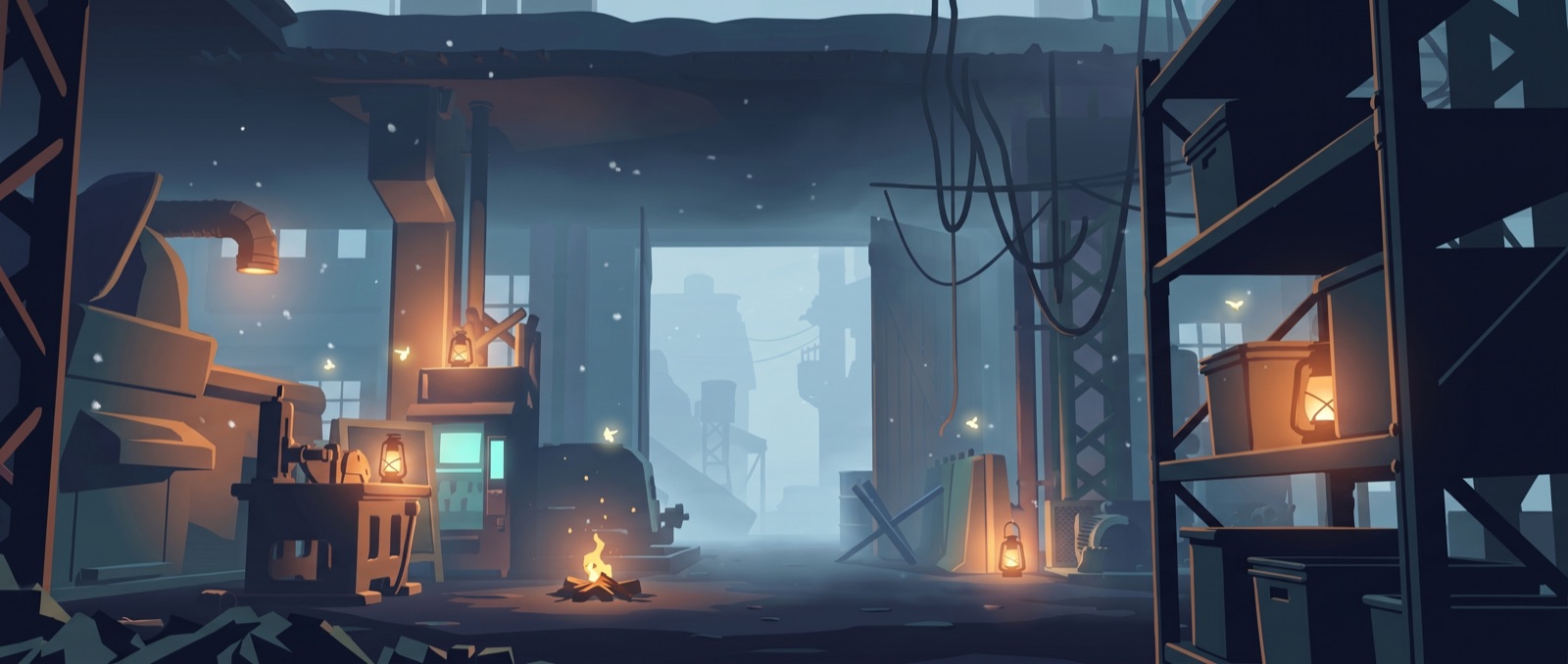
before / after
The tool ships a wipe slider so you can drag between the two states, and pick either side:
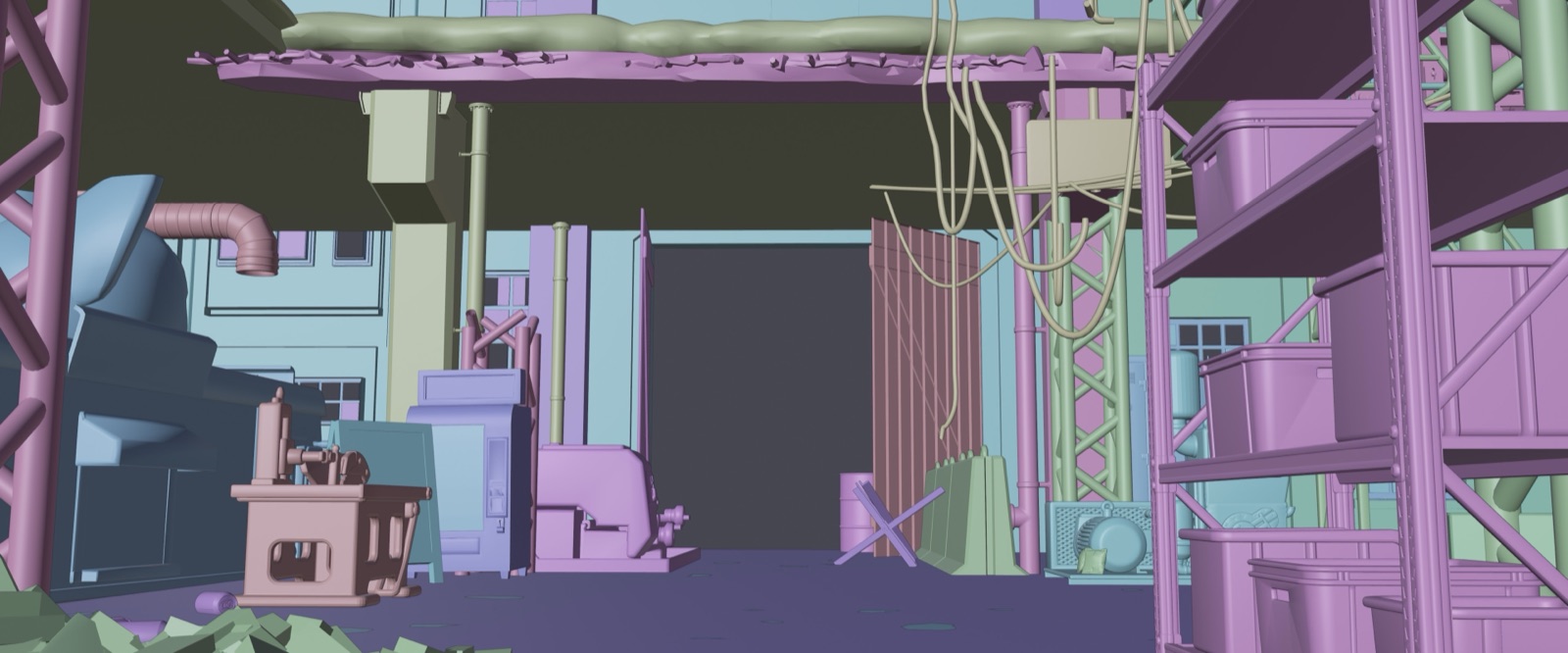
- Left (blocking): flat grey clay. Correct shapes, correct camera, correct depth — and zero soul. A 3D scene with the lights off.
- Right (render): the same frame, same silhouettes, same camera, now a moody painted film plate — value steps, warm light pools, atmosphere — without a single contour having moved.
- And because every variant is selectable on both sides, you can wipe render-vs-render too: the same geometry as night, early-morning, burning, reclaimed-by-nature. Same bones, different hour. That's the payoff shot — it makes "the structure is locked, only the treatment changed" something you can see, not just claim.
the lesson
The usual way to get a specific composition out of an image model is to describe it in words and re-roll until the dice land — you fight the model for camera and layout on every generation, and it drifts every time. Give the model the geometry as an actual input and you stop gambling on the part you already know. You decide composition upstream, where you have real tools (a 3D viewport), and you spend the model only on the part it's genuinely good at: surfaces, light, mood.
Stop asking the slot machine to also be your camera operator.
Let each tool do the thing it's actually good at.
the catch
It has real failure modes, and pretending otherwise would be hype.
- "Too literal" — it comes back as tinted clay. Sparse, object-centric blockings with thin direction make the model just recolour the greybox instead of realising it. The fix is unsubtle: front-load the art direction emphatically ("a painted film frame, not a recolour of grey clay"), and explicitly bar "raw 3d render / recolour" in the negative. The constraint and the creativity have to be cranked together.
- The style has to be pinned or it drifts. "Painterly" drifted too loose and went off-model; full 3D/pbr went too photoreal. Landing a specific, named look — with reference frames — was the difference between consistent output and a different style every roll.
- Some things it just can't do — so don't ask. There's a signature element in this world the model can't render convincingly. The answer isn't a better prompt, it's: bar it entirely in the negative, keep the AI output clean, and add that element by hand afterward. Know which 5% to keep out of the machine's hands.
- Characters and continuity still need a human. Adding figures to a scene is a controlled break in the structure-lock and needs supervision; holding one set consistent across several camera angles is unproven — that's a human-judgment pass, not something the translator closes on its own yet.
Net: it removes the gamble from composition. It does not remove taste, art direction, or the final human pass. It makes the machine reliable at the one job you constrained it to — which is the whole point.