the client
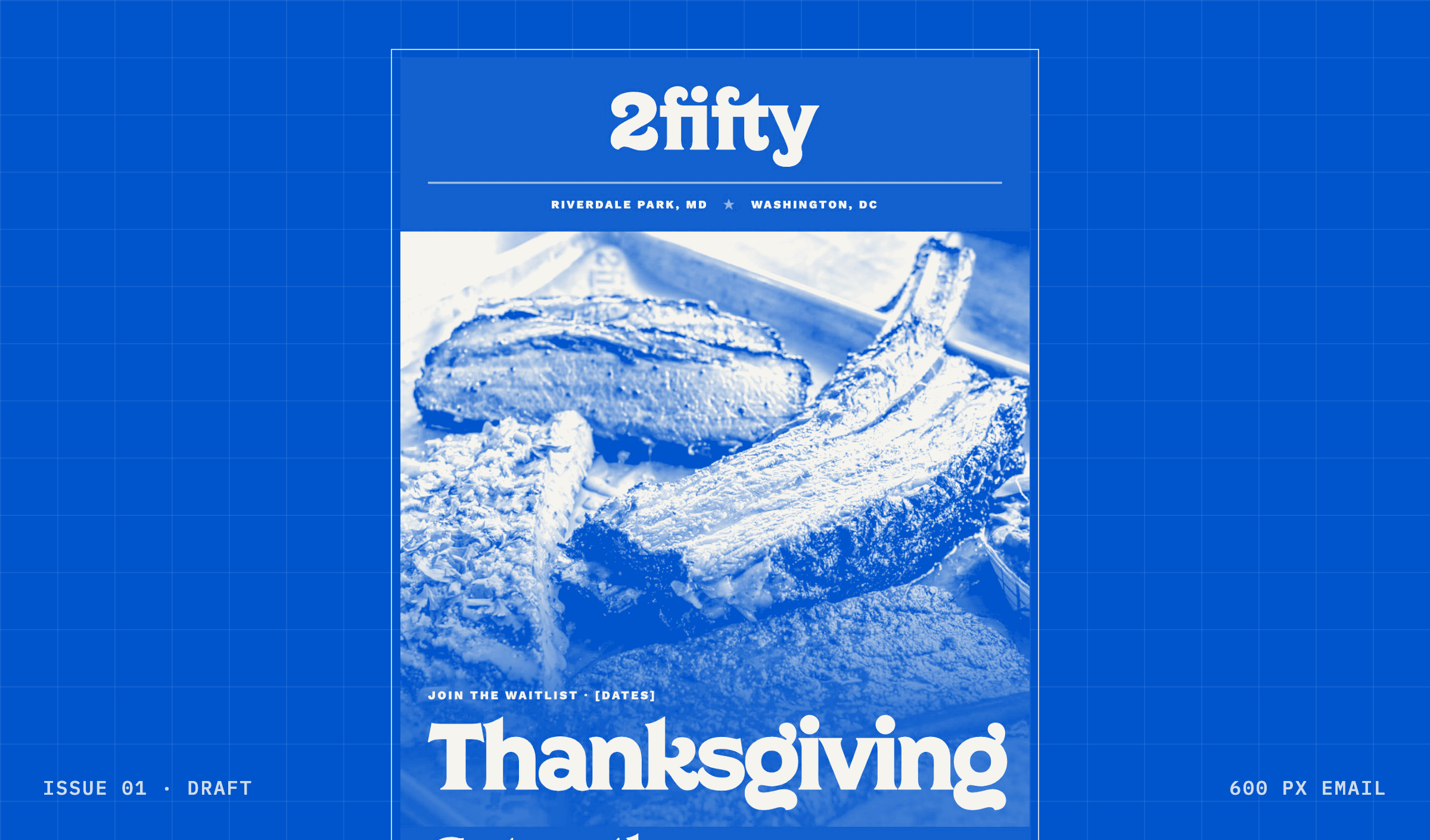
2fifty Texas BBQ is a restaurant with two locations, one in Riverdale Park, MD and one in Washington, DC. Every week it sends a newsletter to almost 90,000 people, and that newsletter is one of its best sales channels.
This is a client case: a system we built for them and run inside their weekly work. The full write-up, with the method, the hours and the catch, is the fieldnote two days a week, now about two hours: a newsletter that writes from the website.
the problem
On a full week, putting one issue together took the designer up to two working days. The email is image-first: twelve to fourteen designed blocks, each exported as an image with its own position, file name, alt text, link and tracking tag, plus a subject, a preheader, a button and a footer. That's somewhere around 64 to 74 small fields per issue, every week, at the end of a long day of design.
Most of the newsletter's copy already lived on the restaurant's website. Someone had already written it, approved it and published it, and every week a person typed it again. The moving is also where the small things slip: a wrong link, a wrong date, an image no screen reader can describe. On a list this size, one wrong detail reaches a lot of people.
what we built
A custom skill the team shares. It is built around a block system we designed for 2fifty (a masthead, covers for each kind of issue, a specials menu card, day tiles, press, a review quote and more, each in a few colour themes) and around how this team already works. The pieces are designed once, by hand. Every issue snaps a set of them together and pours in that week's content.

[price] and [photo needed] are still in it, on purpose.it starts from the brief, then reads the website
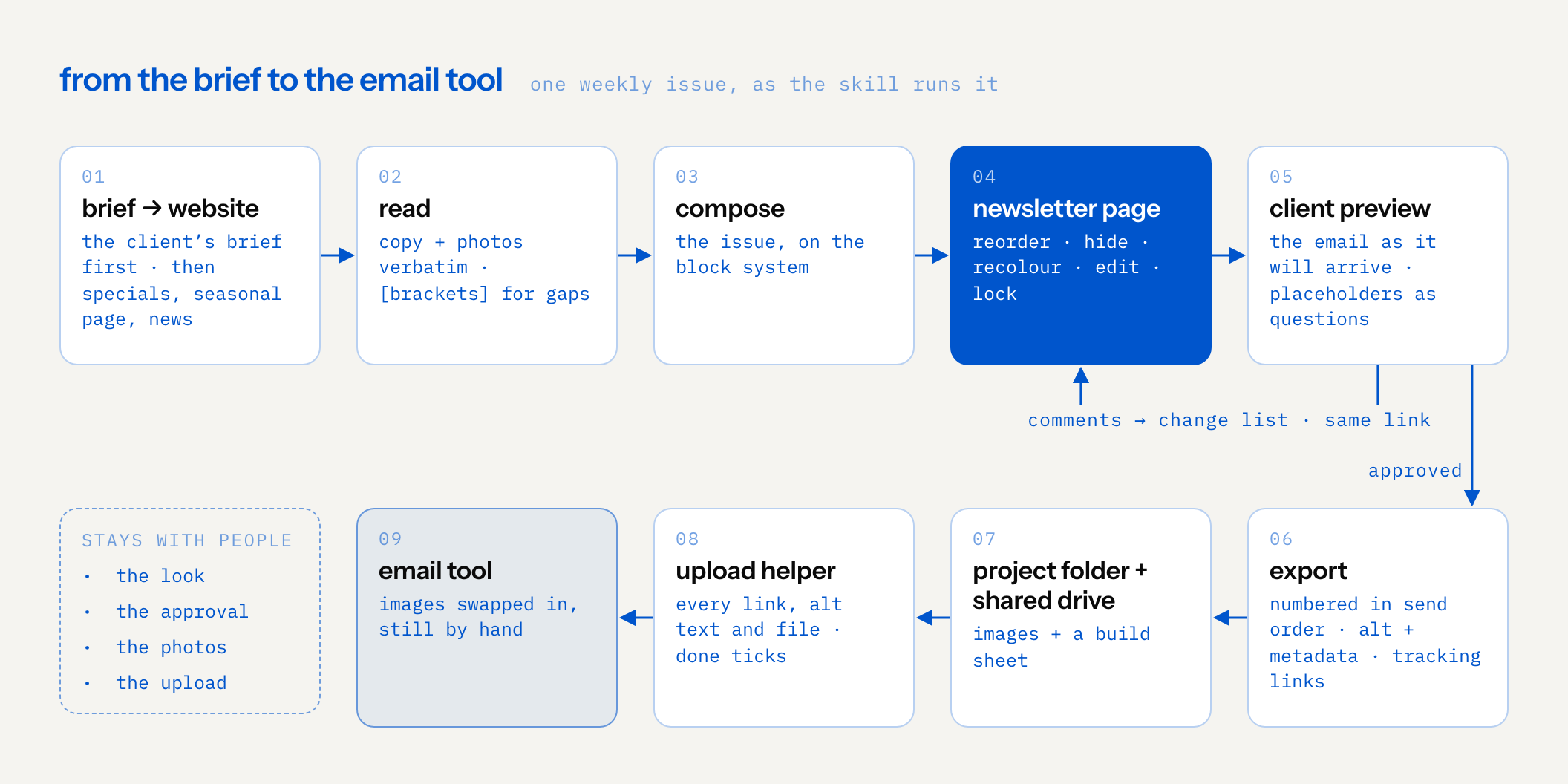
What the designer gathered from the client's brief goes in first: what to push, the context, when it should go out. Then the skill reads the specials, the seasonal page and the news on the restaurant's website and reuses the copy and the photos verbatim.
on the website · 2fiftybbq.com/news

in the issue · from the smokehouse

one page to edit, one link for feedback
The skill publishes an editable newsletter page: reorder, hide or recolour blocks, edit every field, swap a photo, lock what's done. Then it builds a client preview with the email exactly as it will arrive. The client comments on any block, and round two updates the same link, so the comments stay where they were.
everything ready to upload
The export gives numbered, search-friendly image files in send order, with alt text and metadata embedded, a tracking link per image and a build sheet, saved to the project folder and to a shared drive. An upload helper page puts every link, alt text and file at hand while the designer swaps the images into the email tool.
brackets, never invented
Anything the skill can't source from the website comes out as a placeholder in square brackets, like [price] or [event date]. It shows up in the run's report as something the website is missing, it looks wrong on purpose inside a designed block, and in the client preview it becomes a question.
![decision flow for each field in a block, such as a price, a date, holiday hours or which location: does the website say it? if yes, the copy or photo is reused verbatim and goes into the issue. if no, the field becomes a bracket such as [price], never a guess, which looks wrong on purpose; it turns into a question in the client preview, the client’s answer goes into the change list, and it reaches the issue after approval. every bracket is also listed in the run’s report as missing on the website, probably what customers can’t find there either](/assets/fieldnotes/newsletter-from-the-website/brackets-en.png)
the result
The first real issue went from the restaurant's website to a client preview in about 2.25 hours of person time, feedback round included. The designer's own estimate for an issue before was about 16 hours, so that is about 13.75 hours back per issue. Over about fifty weekly issues a year, that adds up to roughly 690 hours, about four months of a full-time designer's year. The before column is an estimate and the after column is one real issue, so all of it is an estimate for now.
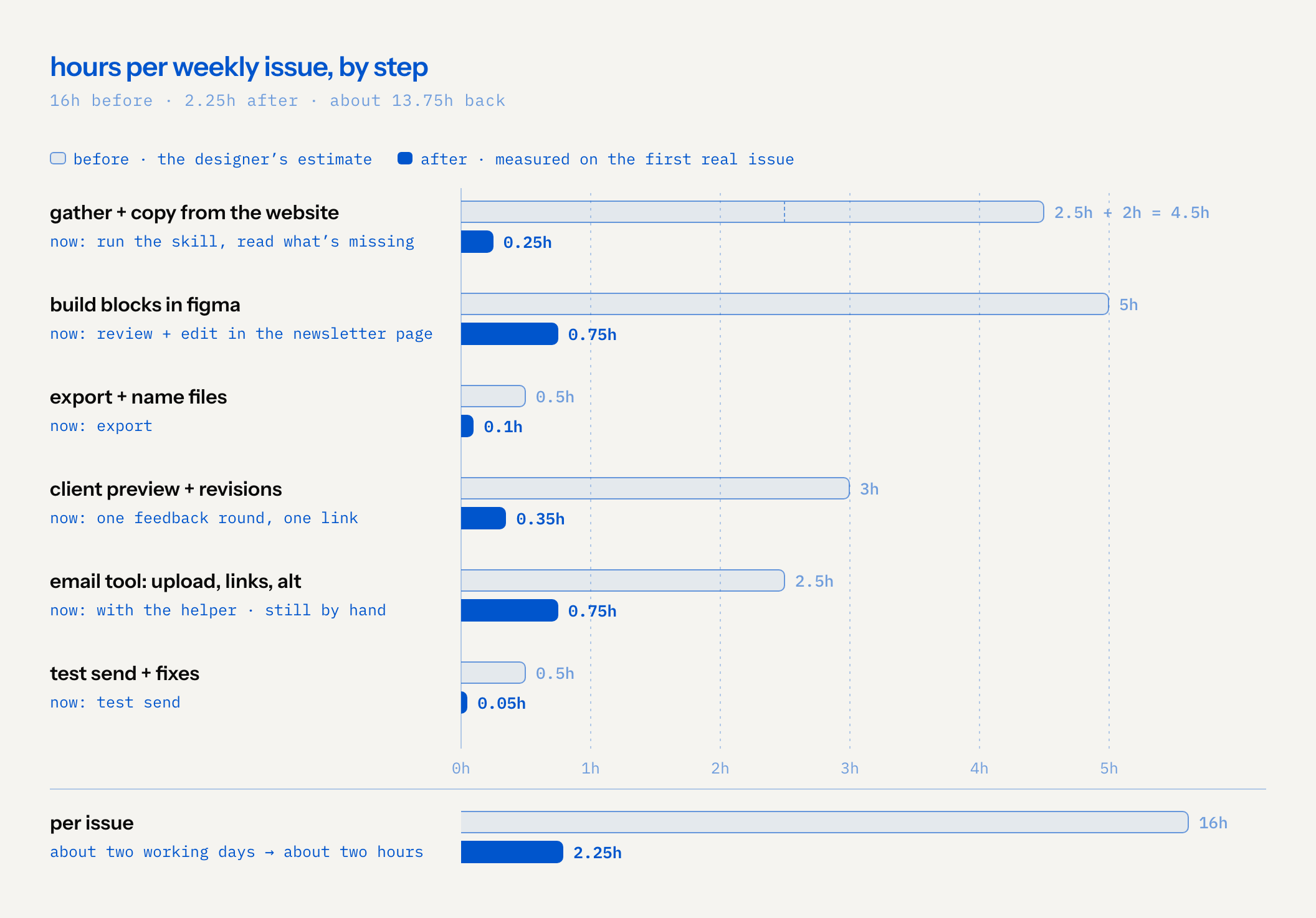
The hours are half of it. The small fields that get skipped when someone is tired now get done every time: real alt text for each image, file names that mean something, a distinct tracking link per image so the next issue can be planned on what people actually clicked, and a subject and preheader that get checked instead of typed at the last minute.
The designer still decides what the issue looks like, and the client still approves it. Nobody types a menu twice.
limits
- The upload into the email tool is still by hand. The helper page makes it faster and harder to get wrong, and it is the biggest block of time left.
- Photos still need a person. The skill reuses the photos already on the website; someone still has to shoot new ones, or pick them.
- One issue isn't a trend. The first weeks of anything are the weeks you pay the most attention.
- It only knows what the website knows. If something on the website is out of date, the newsletter starts out of date too, and a person still has to catch it in review.
read the fieldnote
How it was built, the step-by-step hours table and the yearly math are in the fieldnote.